Your whole mind, finally in one place.
myrna brings your notes, tasks, calendar, journal and research together — connected, private, and yours. Start in seconds, organize for life.
No credit card required.
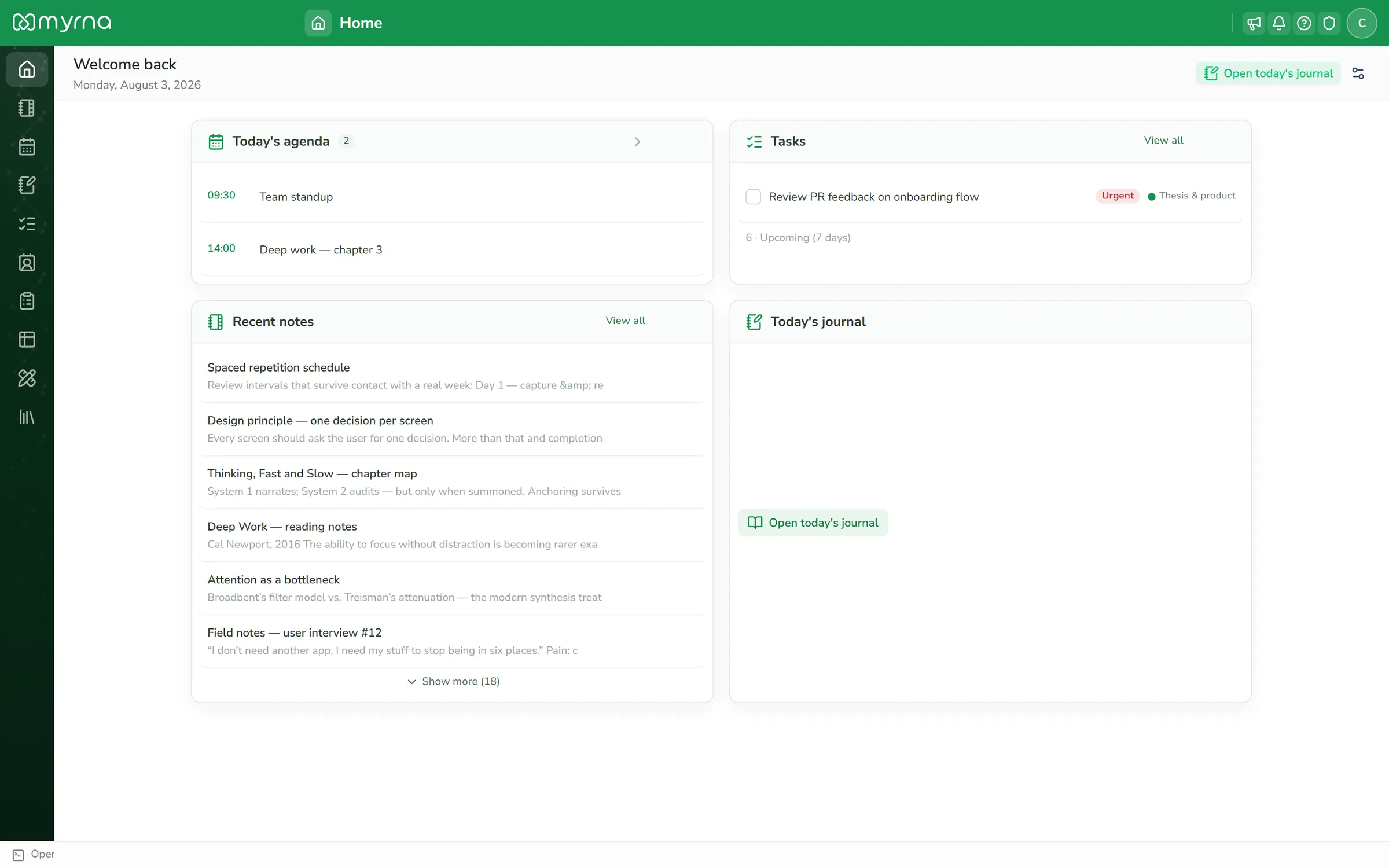
Your ideas are scattered across six apps.
Notes in one place, tasks in another, references in a third — and every switch drops the context that made the idea good. myrna keeps everything on one canvas, linked together.
One subscription replaces the stack
Each myrna module stands in for an app you may be paying for separately today.
Notes
instead of standalone notes apps
Tasks
instead of standalone task managers
Calendar
instead of standalone calendar apps
Journal
instead of standalone journaling apps
Tables
instead of standalone database apps
Draw
instead of standalone whiteboards and diagram tools
References
instead of standalone reference managers
Forms
instead of standalone form builders
Paid plans for a stack like this add up to US$ 30–40+ every month. Here, it's one subscription of about US$ 6 — everything included.
Capture
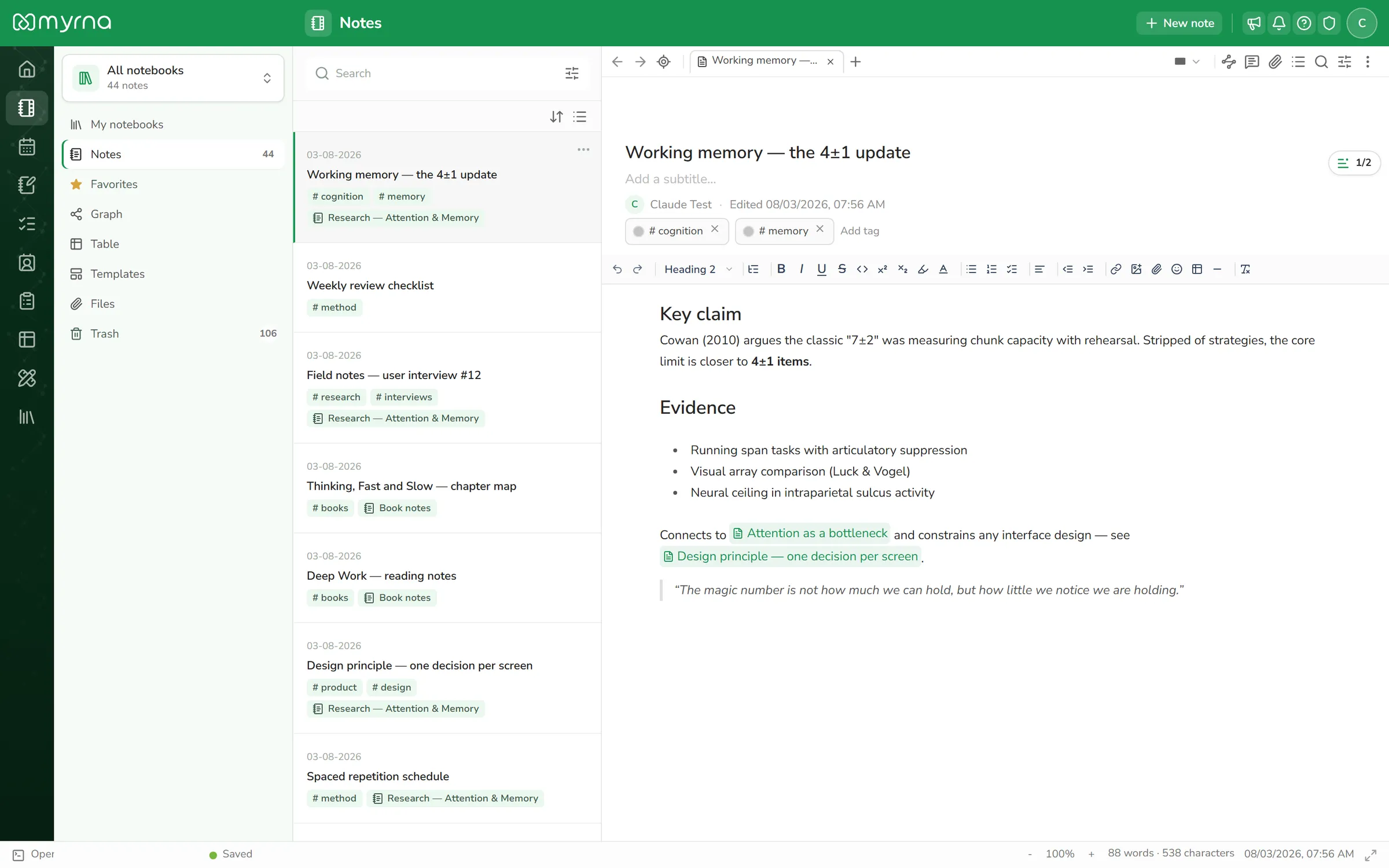
Capture everything, exactly as you think it.
Rich notes with slash commands and live markdown. A whiteboard for the messy ideas. A private journal for the rest. Everything autosaves — even offline — and syncs when you're back.
- Write with / blocks, tables, math and code
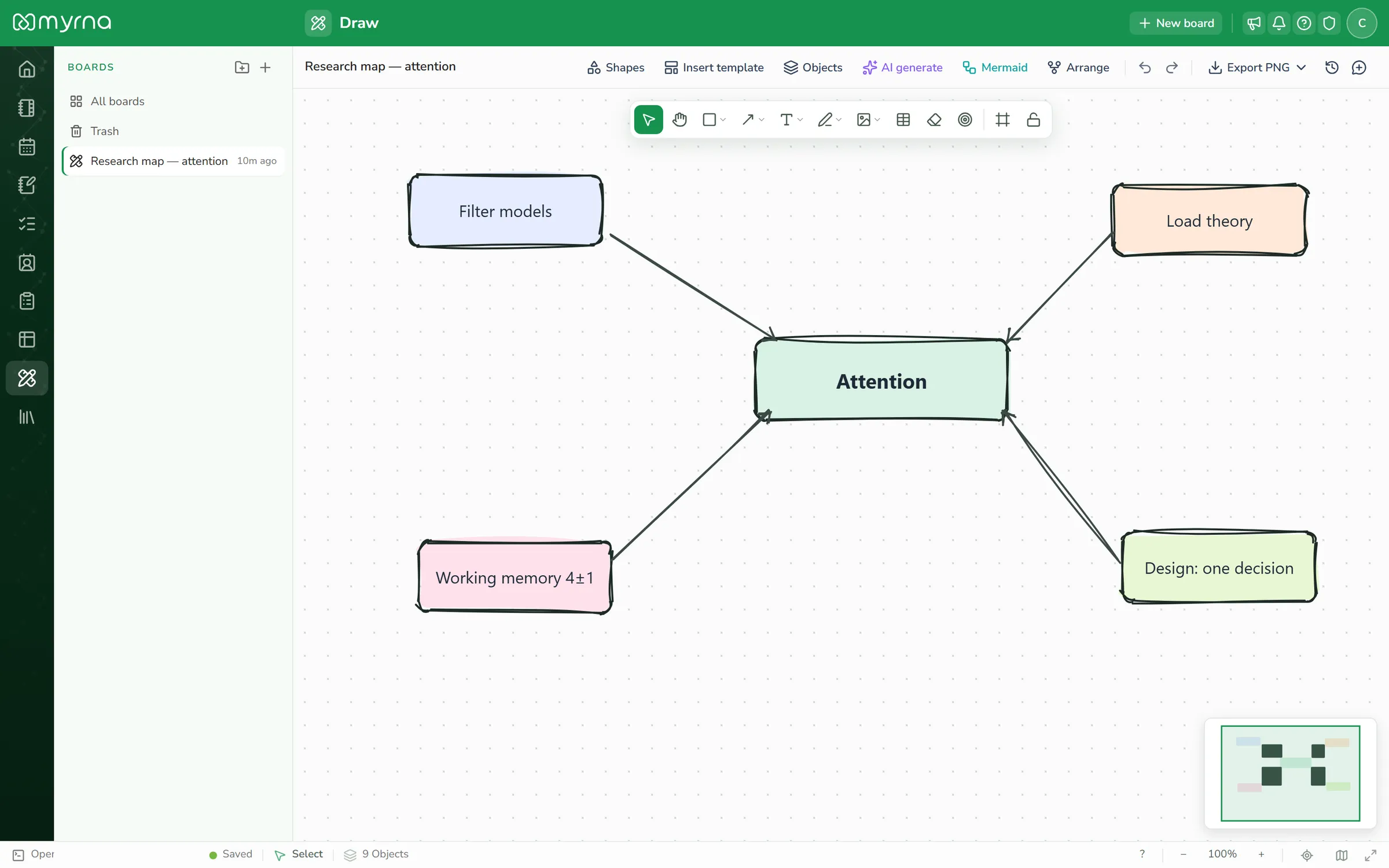
- Sketch on an infinite canvas, present it as slides
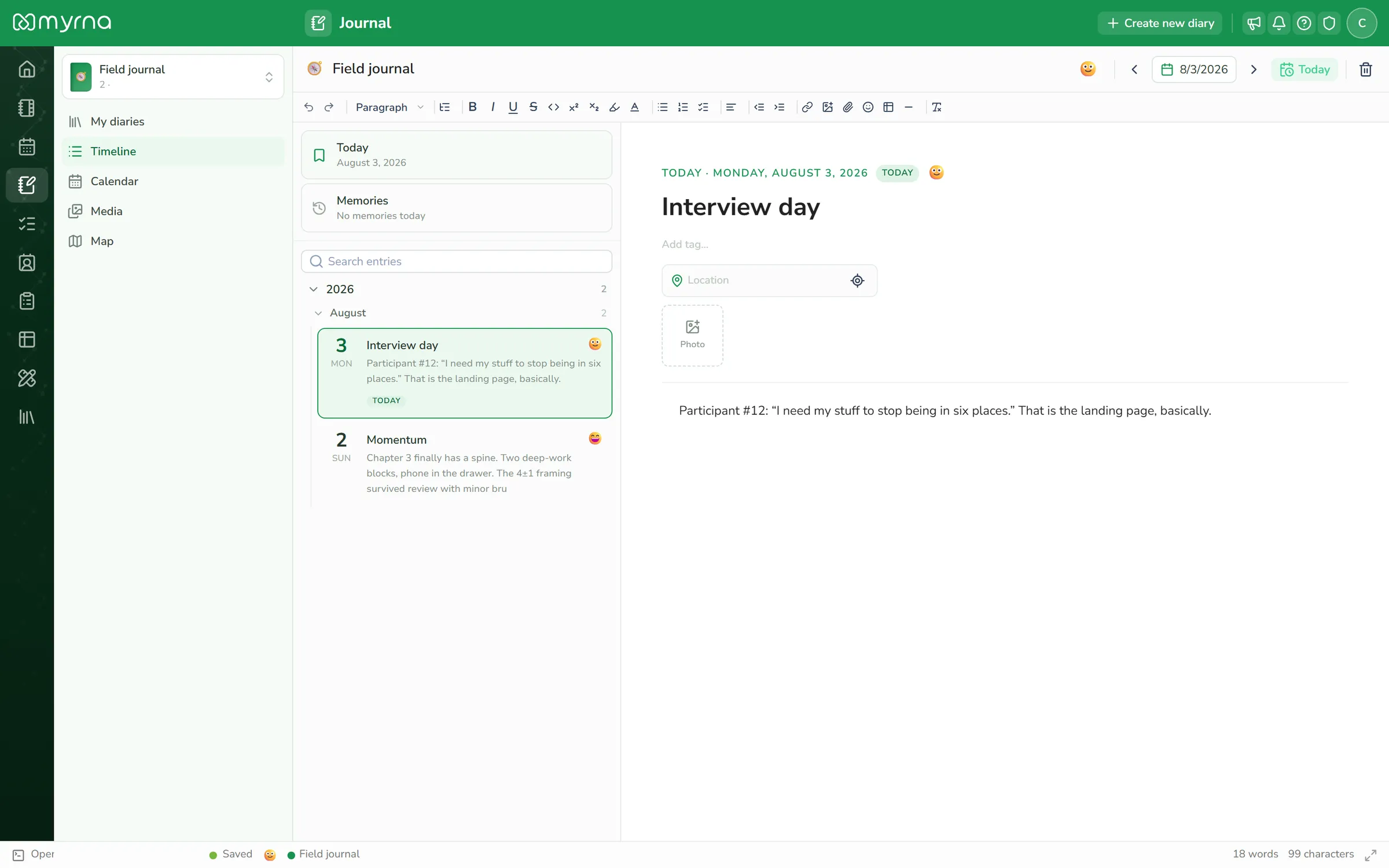
- Keep a daily journal that can be fully encrypted
Organize
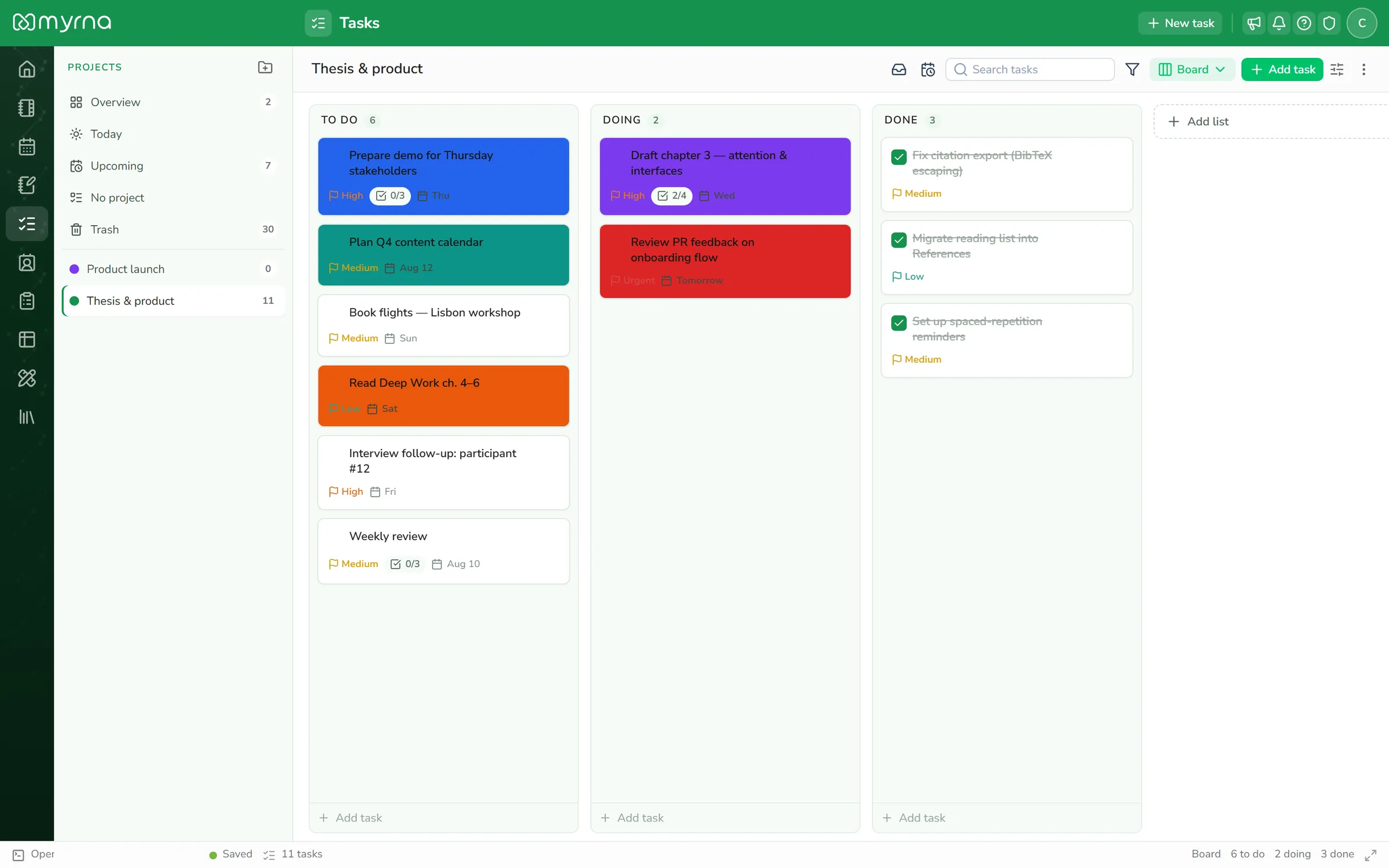
Turn notes into action.
Tasks in lists or boards. A calendar that understands recurrence. Spreadsheet-style bases for anything structured — and public forms that feed them.
- Plan in lists, boards and calendars
- Build bases with views, filters and charts
- Collect responses with shareable forms
Connect
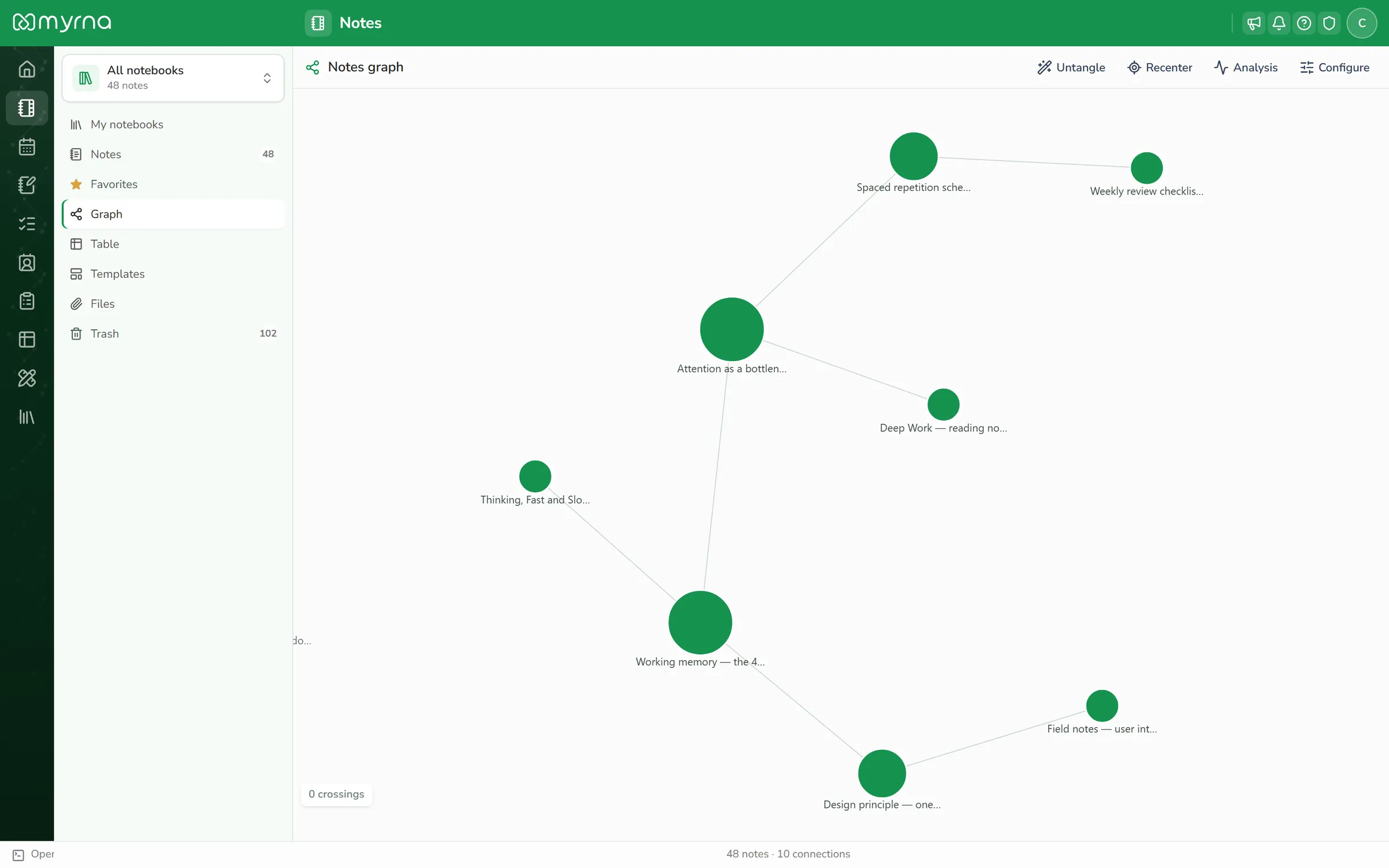
Ideas are better with relatives.
Type [[ to link any note to any other. Watch your knowledge grow into a living graph. Nothing you write is an island.
- Backlinks tell you what points here
- The graph shows the shape of what you know
- Mentions connect people, meetings and notes
Built for research
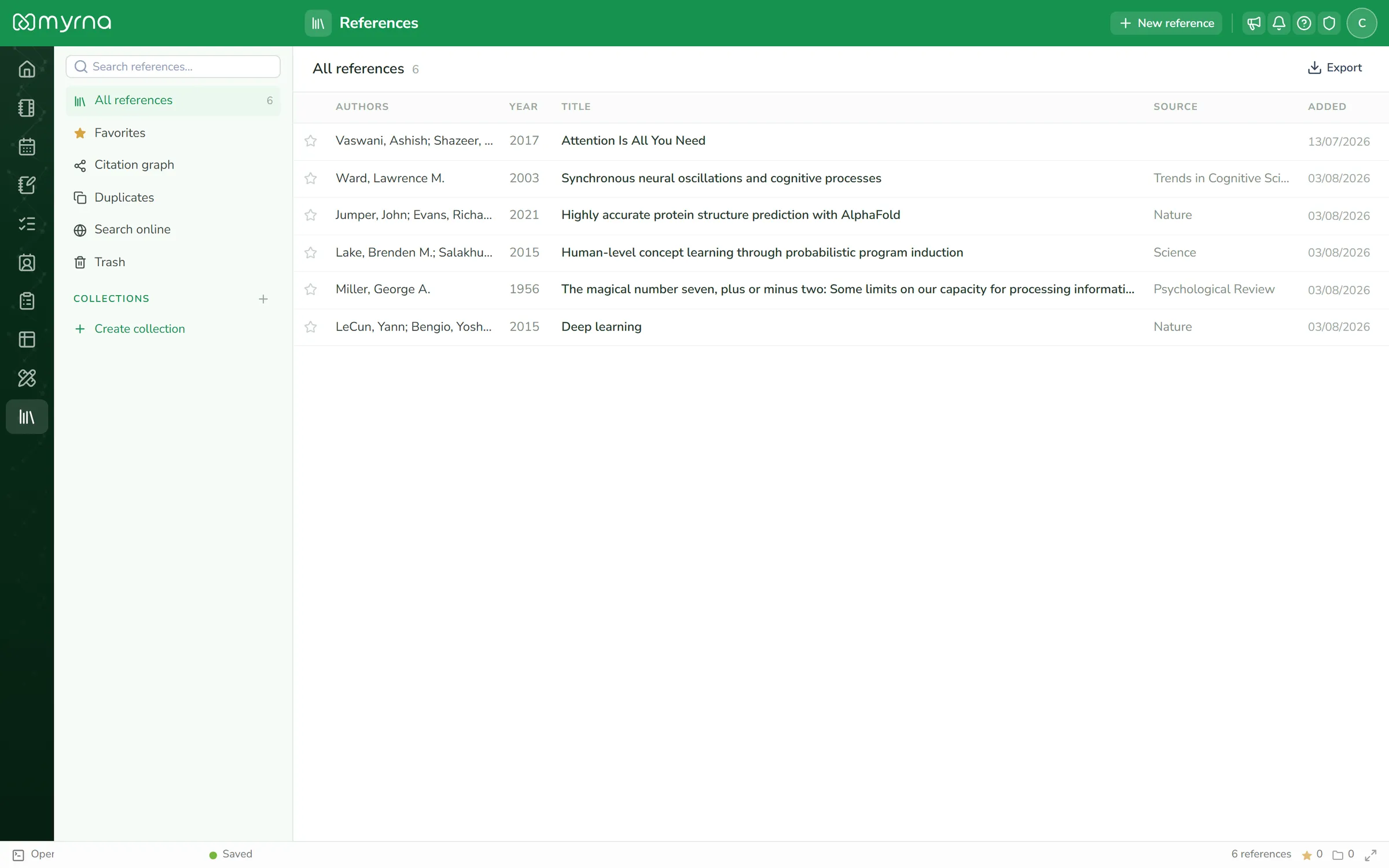
Cite any paper in two clicks.
Paste a DOI, PMID or ISBN and myrna fetches the full reference — authors, journal, year, the lot. Cite it inside your notes, export BibTeX or RIS, and see every note where a source is used. Your literature review, finally organized.
- DOI / PMID / ISBN / arXiv lookup
- BibTeX and RIS export
- "Cited in" — every source knows its notes
A quick look inside
Real screens, real data — no mockups. This is what your day looks like.
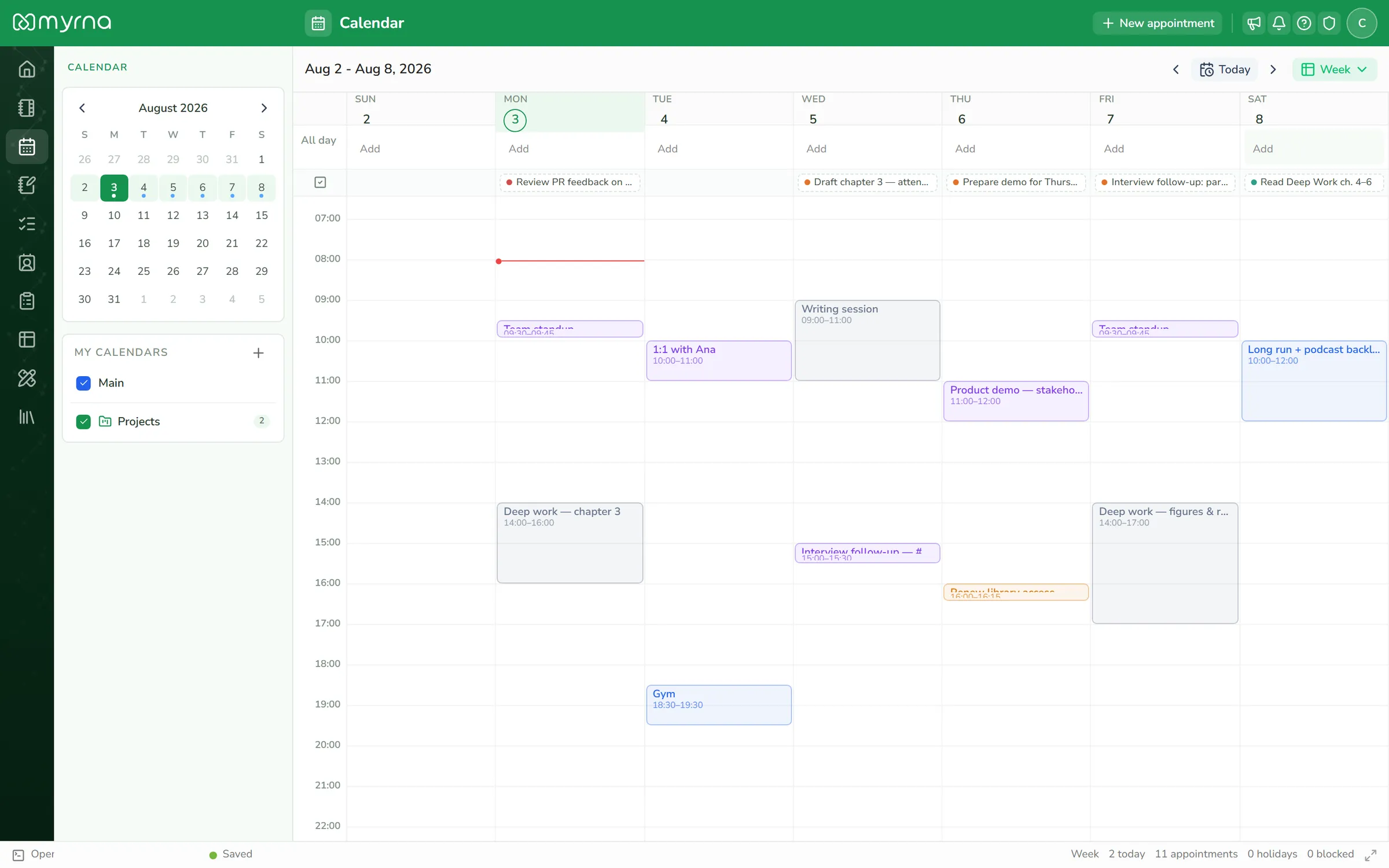
Your week, with room to breathe
- Day, week, month and year views — with task deadlines on the calendar
- Recurring and multi-day events, editable per occurrence
- Named calendars with colors, sharing and availability
One subscription. A complete toolkit.
Twelve capabilities that talk to each other — no add-ons, no feature ransom.
Notes
Linked, rich, fast
Tasks
Lists, boards, checklists
Calendar
Events and recurrence
Journal
Private by design
Tables
Tables with views
Draw
Whiteboard and slides
Contacts
Your people, organized
Forms
Collect anything
References
Research, cited
Graph
See the connections
Vault
End-to-end encryption
AI assist
Write and summarize, with consent
Your data is yours. We mean it.
Locked, literally
The vault encrypts notes and journals end-to-end. We couldn't read them if we tried.
Leave anytime
Export everything: Markdown, CSV, BibTeX, vCard, JSON. One click, no lock-in.
Honest saving
Offline edits are stored on your device and sync when you return. "Saved" only appears when it’s true.
Questions, answered.
Is there a free plan?
Every account starts with a full-featured 14-day trial — every module, no credit card. After that, one simple paid plan keeps everything unlimited.
What happens to my data if I cancel?
You keep read access and can export everything, anytime. Your data is never held hostage.
Is my journal really private?
With the vault enabled, entries are encrypted end-to-end. Only your passphrase opens them — not even we can read them.
Does it work offline?
Yes. Edits save to your device and sync automatically when you are back online.
Can I import from other apps?
myrna imports from Obsidian, Evernote, Joplin, Bear, Keep, OneNote, ChatGPT and Claude — plus BibTeX, CSV and vCard.
Is there a mobile app?
myrna is a fast web app that installs to your phone (PWA). Native apps are on the roadmap.
Start remembering everything.
14 days free · cancel anytime